Stop websites from detecting tab switches

Look away.
The tab won't.

Focus Spoofer is a free Chrome extension that overrides the Page Visibility API and window focus events, so websites can't tell that you switched tabs, minimized the window or used another app. Lectures keep playing and timers keep counting.

Free · v1.8 Chrome, Brave, Edge On only for tabs you pick No account

Switch to another tab, then come back.

What a page can see

Three ways a tab
tells on you.

Focus Spoofer covers all three on the tabs you turn it on for. Everything else on the page works as normal.

01

You switch tabs

Without it

The site notices the moment you open another tab. Videos pause, quizzes flag you, timers stop.

With Focus Spoofer

The site thinks you never left, and keeps running at full speed in the background.

9:14  Lecture playing
9:14  You switched tabs
9:14  Paused: "Are you still there?"
9:14  Still watching
9:21  Finished, 100% watched
02

You use another app

Without it

Clicking into another window or a second monitor, or moving your mouse off the page, counts as leaving too.

With Focus Spoofer

The page stays focused the whole time. Menus and forms on it still work normally.

Page in focus   yes
Moved to another app
Mouse left the page
Page in focus   yes
03

Your device is tracked

Without it

Sites can quietly recognize your device from how it draws graphics, even without cookies.

With Focus Spoofer

Tiny random changes make you look like a different device on every visit. You can turn this off in Settings.

hash … hash …

The interface

One switch.
That's the interface.

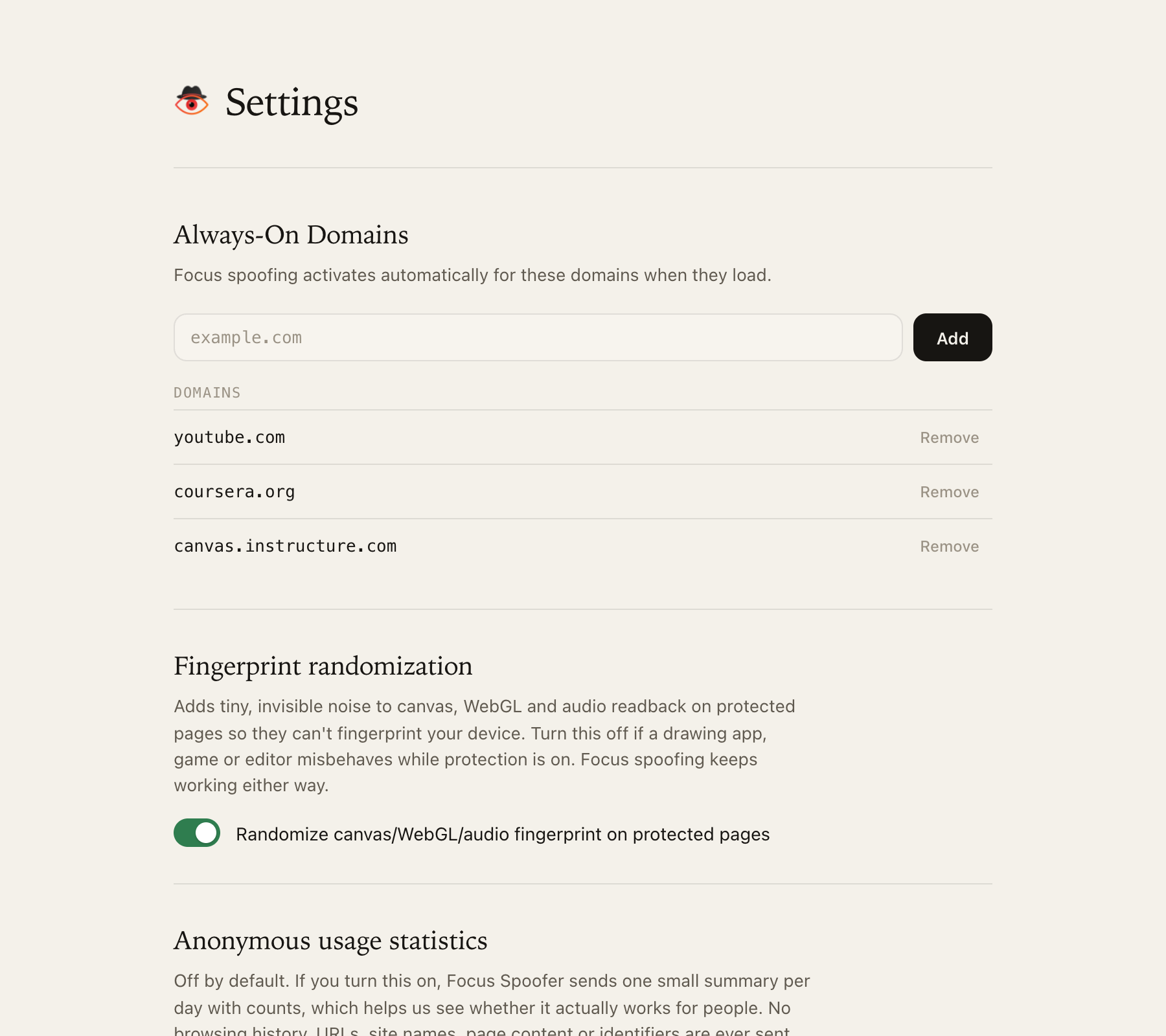
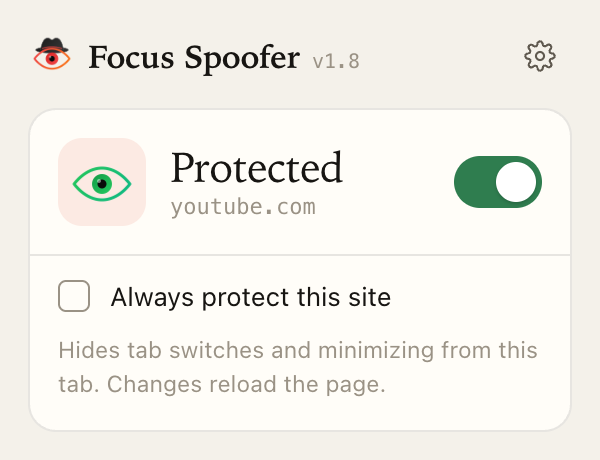
Turn it on for the tab you're on, or keep a site protected on every visit. Everything else lives on one quiet settings page.

The Focus Spoofer popup showing Protected for youtube.com with the switch on
The popup. Changes reload the tab so protection starts before the page's own scripts.
The settings page with always-on sites, fingerprint randomization and anonymous usage statistics
Settings: always-on sites, fingerprint randomization, and usage stats that stay off unless you turn them on.

Straight answers

What it won't do.

Beat proctoring or anti-cheat.

Exam and anti-cheat software watch far more than a web page can. We don't try to get around them, and you shouldn't rely on this for that.

Run everywhere.

It works on regular web pages in Chrome, Brave and Edge. Browser pages like chrome://, the Web Store and the built-in PDF viewer are off limits to every extension.

Collect your browsing.

No account, no history, no sites. Usage stats are off unless you opt in, and even then they're daily counts with no ID. Privacy policy.


Questions

Frequently asked questions.

How do I stop a website from detecting that I switched tabs?

Install Focus Spoofer, open the site, click the extension icon and turn the switch on. The tab reloads with protection active: document.hidden stays false, visibilitychange and window blur events never reach the page, and document.hasFocus() returns true. To protect a site on every visit, tick "Always protect this site".

Why does a video or lecture pause when I switch tabs?

Many players listen for the Page Visibility API's visibilitychange event or the window blur event and pause as soon as the tab is hidden. Some also notice that animation frames stop while a tab is in the background. Focus Spoofer answers all three, so the player keeps going.

How do I disable the Page Visibility API in Chrome?

Chrome has no setting for it. An extension has to override it inside the page before the site's own scripts run. Focus Spoofer does this at document_start, only on the tabs or sites you choose, and leaves every other tab untouched.

Is Focus Spoofer free, and does it collect my data?

It is free, with no account. Your browsing history, the sites you visit and page content never leave your browser. Optional anonymous usage statistics (daily counts, no identifier) are off unless you turn them on. Details are in the privacy policy.

Which browsers does it work in?

Chrome, Brave and Microsoft Edge on Windows, macOS, Linux and ChromeOS. It is a Manifest V3 extension installed from the Chrome Web Store. Firefox and Safari are not supported.

How can I check that it's working?

Open the live tab-switch detection test, turn Focus Spoofer on for that tab, switch to another tab for a few seconds and come back. With protection on, the event log stays empty.

Will it get around exam proctoring or anti-cheat software?

No, and it isn't meant to. Proctoring and anti-cheat tools can watch far more than a web page sees, such as the whole screen, other processes or the camera. Focus Spoofer only changes what a page can learn through the Page Visibility API, focus events and frame timing.